
What’s the Difference Between Unity 2D and Unity 3D Development?

Choosing between 2D and 3D game development in Unity shapes everything from your project timeline to player experience. Both modes exist within the same Unity engine, but they use different tools, workflows, and technical approaches. Understanding these differences helps you pick the right path for your game vision. Understanding Unity’s Dual Nature Unity supports both 2D and 3D game creation through the same platform. When you start a new project, you select either 2D or 3D mode. This choice adjusts editor settings like how images import and which camera perspective displays by default. You can switch between modes anytime, but understanding each approach saves time and prevents workflow issues. The engine doesn’t strictly separate 2D from 3D. You can mix both elements in a single project. Games like side-scrollers with 3D backgrounds use this flexibility. The real question isn’t which Unity version to use, but which dimensional approach fits your game design. Core Technical Differences Graphics and Rendering 2D games in Unity use sprites, which are flat images displayed on screen. The SpriteRenderer component handles how these images appear in your scenes. Sprites work like textured quadrilaterals made of two triangles, keeping the rendering process simple and fast. 3D games rely on meshes, which are collections of vertices forming three-dimensional shapes. The MeshRenderer component displays these objects. 3D rendering requires calculating lighting, shadows, and perspective, making it more computationally demanding than 2D graphics. When you need depth perception and realistic environments, 3D meshes give you that capability. For flat, stylized visuals or quick gameplay, 2D sprites work better. Camera and Perspective The camera setup differs between 2D and 3D projects. 2D games typically use an orthographic camera, which removes perspective and keeps objects the same size regardless of distance. This creates the flat view players expect in platformers and top-down games. 3D games use perspective cameras that mimic how human eyes see the world. Objects appear smaller as they move away from the camera. This depth perception makes exploration and spatial awareness feel natural in first-person shooters or open-world games. Some games use orthographic cameras with 3D objects to create a “2.5D” effect. This works well for strategy games with a bird’s-eye view. Physics Systems Unity maintains separate physics engines for 2D and 3D development. You cannot mix them in the same interaction. 2D physics uses components like Rigidbody2D and Collider2D. These handle gravity, collisions, and movement along two axes (X and Y). The system calculates faster because it ignores the Z-axis depth. Joints, effectors, and triggers add complexity without heavy computational costs. 3D physics uses Rigidbody and Collider components. Built on NVIDIA’s PhysX engine, this system simulates real-world physics including cloth, fluids, and complex collisions across all three axes. The extra dimension requires more processing power but enables realistic interactions. If your game needs simple gravity and collision detection, 2D physics gets the job done efficiently. For realistic vehicle handling, ragdoll effects, or complex spatial interactions, 3D physics becomes necessary. Development Workflow and Asset Creation Time and Resource Requirements 2D game development generally moves faster than 3D. Artists can produce sprite sheets and flat assets more quickly than modeling, texturing, and rigging 3D characters. Testing 2D games also takes less time because you’re working with fewer variables. 3D development requires modeling software knowledge. Creating a single character involves sculpting the mesh, unwrapping UV coordinates, painting textures, rigging bones, and setting up animations. Each step takes time and specialized skills. Budget considerations matter here. Small teams and solo developers often choose 2D because it’s more manageable. 3D projects typically need larger budgets and teams with diverse skill sets. Learning Curve Getting started with 2D in Unity feels more approachable for beginners. The concepts translate directly from traditional animation and illustration. You arrange sprites, set up simple collisions, and script basic behaviors without getting overwhelmed. 3D development introduces concepts like UV mapping, normal maps, and polygon optimization. You need to understand how lighting affects surfaces and how cameras work in three-dimensional space. The extra dimension adds complexity to every decision. That said, Unity’s documentation and community tutorials make learning either path manageable. The choice depends more on your game requirements than difficulty alone. Animation Approaches 2D animation in Unity offers three main methods. Frame-by-frame animation plays a sequence of individual sprites, like flipping through drawings. Cutout animation moves separate body parts without bending them. Skeletal animation uses bones to deform sprites for more natural movement. 3D animation relies on skeletal rigging almost exclusively. You create a bone structure inside your mesh, then animate those bones. Blending animations, using inverse kinematics, and transitioning between states becomes more complex but also more flexible. The 2D Animation package in Unity provides bones and deformation tools that bring 2D closer to 3D capabilities. This middle ground works well for character-focused 2D games. Performance and Optimization System Requirements 2D games run on lower-end hardware more easily. Without complex lighting calculations and large mesh rendering, they demand less from the GPU and CPU. This makes 2D ideal for mobile games where battery life and processing power are limited. 3D games need more robust hardware. High-resolution textures, real-time shadows, and detailed meshes push devices harder. You can optimize through techniques like level-of-detail systems and occlusion culling, but 3D inherently requires more resources. For mobile or casual gaming markets, 2D often makes practical sense. For console and PC games where players expect visual depth, 3D justifies the performance cost. Optimization Techniques Optimizing 2D games focuses on sprite atlasing, reducing draw calls, and efficient particle systems. You can batch sprites together and minimize state changes in the rendering pipeline. 3D optimization involves mesh simplification, texture compression, and careful lighting design. Baking static lighting into lightmaps improves performance dramatically. You’ll also adjust shadow quality, use LOD systems, and implement frustum culling to keep frame rates smooth. Both approaches benefit from good scripting practices. Avoiding expensive operations in update loops and using object pooling helps performance regardless of dimensional choice. Choosing Between Unity 2D vs Unity 3D Development Project Scope Considerations
How Can Mobile Apps Help Small Businesses Grow in 2025?

Running a small business in 2025 means competing in a world where customers expect instant access to everything. They want to book appointments at midnight, check product availability while standing in the parking lot, and receive personalized deals that actually matter to them. Here is why mobile apps matter: Mobile devices now account for more than 66% of global internet traffic, and people are spending the majority of that time inside apps rather than browsing websites. If your business isn’t where your customers are spending their time, you’re missing opportunities every single day. The good news? Mobile apps aren’t just for big companies anymore. Small businesses are using apps to level the playing field, connect directly with customers, and grow revenue in ways that traditional websites simply can’t match. Want your Unity 3D games to run smoother on mobile? Read this blog to discover smart optimization tips! Why Small Businesses Are Turning to Mobile Apps The shift to mobile isn’t coming. It’s already here. The total market size of mobile apps is forecasted to hit $935 billion by the end of 2025. That number tells you something important: businesses that ignore mobile apps risk becoming invisible to a massive portion of their potential customers. Think about your own behavior. When was the last time you typed a URL into your mobile browser instead of tapping an app icon? Most people spend an average of 3.5 hours per day using apps, compared to less than half an hour on mobile browsers. Your customers live in apps, which means your business needs to be there too. Small businesses face unique challenges. Limited marketing budgets, smaller teams, and fierce competition from larger companies with more resources. Mobile apps help address these challenges by creating direct connections with customers that don’t depend on advertising budgets or algorithm changes. Direct Access to Your Customers’ Pockets Your app icon sitting on someone’s home screen is marketing that never stops working. Every time they unlock their phone, they see your brand. That kind of visibility builds familiarity and trust in ways traditional advertising struggles to match. Mobile apps average more repeat visits, with app users purchasing 3-7x more often than website visitors. That difference isn’t just about convenience. Apps create habits. When checking your app becomes part of someone’s routine, you’ve built something far more valuable than a one-time customer. Push notifications give you a direct line to customers without competing for attention in crowded email inboxes or social media feeds. Push notifications consistently achieve click-through rates of 3-5%, which is 3-5x higher than email. When you have something relevant to say, your message gets seen. But here is the catch: notifications only work when they add value. Random promotional blasts will get your app uninstalled faster than you can say “customer engagement.” The businesses seeing results use notifications strategically for order updates, appointment reminders, and genuinely useful alerts. Better Customer Experience Means More Sales Apps load faster than mobile websites. They remember customer preferences. They work offline. These seemingly small details add up to experiences that feel seamless and professional, which translates directly into higher conversion rates. When customers use apps, they have longer sessions, more frequent sessions, and convert at 3x the rate of mobile web users. The difference comes down to friction. Every extra step, every moment of loading, every form field that needs to be filled out again creates an opportunity for customers to give up. Apps eliminate that friction. Payment information saves securely. Delivery addresses autofill. One-tap checkout becomes possible. For businesses selling products or services, these improvements have measurable impact on revenue. NKB Playtech understands the importance of creating smooth user experiences. While the company specializes in 3D Unity game development, the same principles that make games engaging apply to business apps: intuitive interfaces, responsive design, and experiences that keep users coming back. Customer Data That Actually Helps Your Business One of the biggest advantages apps offer is first-party data. When someone uses your app, you learn what products they browse, how long they spend looking at different sections, and which features they use most often. This information helps you make better business decisions. More than 70% of web traffic comes from mobile devices, but tracking that traffic has become increasingly difficult. Privacy changes from Apple and Google have made it harder to understand customer behavior through traditional website analytics. Apps solve this problem by giving you direct access to usage data. You can see which promotions actually drive sales. You can identify which product categories deserve more attention. You can test different approaches and measure results in real time. This kind of insight used to require expensive market research. Now it comes built into your app. The data also enables personalization. When you know what someone bought last month, you can suggest related products they might actually want. When you understand their browsing patterns, you can send notifications about restocks or sales that match their interests. Generic marketing becomes targeted communication. Cost-Effective Marketing That Keeps Working Marketing budgets for small businesses rarely have room for waste. Every dollar needs to generate results. Apps provide marketing value that compounds over time instead of disappearing the moment you stop paying for ads. Revenue from app users is essentially profit, as push notifications cost nothing to send and there’s no ad spend required to stay on customers’ home screens. Compare that to paid advertising, where you need constant spending just to maintain visibility. Apps also reduce dependency on platforms you don’t control. Algorithm changes on social media can tank your organic reach overnight. Search engine updates can drop your website rankings. But your app lives on your customer’s device, giving you direct access that no platform can take away. Consider the long-term value. A customer who downloads your app and uses it regularly over a year generates far more value than someone who clicks an ad once and never returns. Apps help transform one-time buyers into repeat customers, and repeat customers into
How to Optimize Unity 3D Games for Mobile Devices
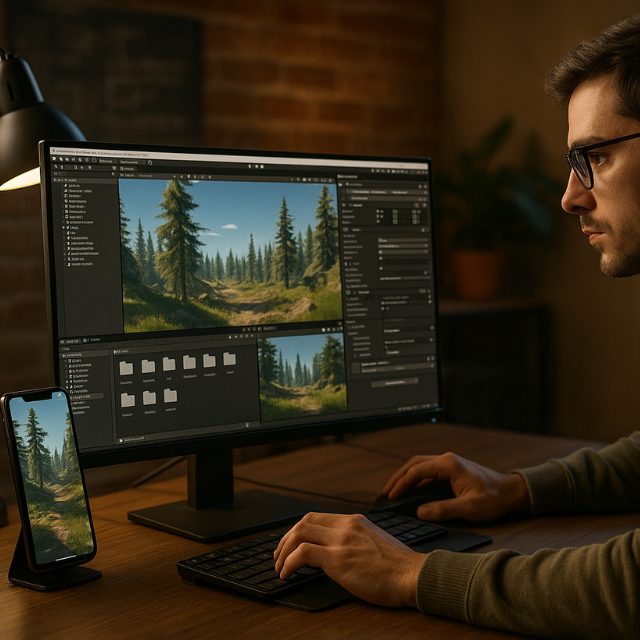
Ever launched your Unity game on mobile only to watch it crawl like molasses? Or maybe your beautifully crafted 3D world turns into a slideshow on smartphones? You’re not alone. Optimizing Unity 3D games for mobile devices is one of the biggest headaches developers face today. Mobile gaming now dominates the industry, with over 2.8 billion mobile gamers worldwide. But here’s the catch—mobile devices have limited processing power, memory, and battery life compared to PCs or consoles. That stunning game you built might run perfectly on your development machine but struggle on the very devices your players use. The good news? With the right optimization techniques, you can create smooth, engaging mobile experiences that keep players coming back for more. Understanding Mobile Hardware Limitations Before diving into optimization techniques, let’s talk about what you’re working with. Mobile devices are impressive pieces of technology, but they’re not gaming PCs. Processing Power Constraints: Battery and Thermal Throttling: Your game needs to be efficient because nobody wants their phone turning into a hand warmer. When devices overheat, they automatically reduce performance to cool down—making your smooth 60fps game suddenly drop to 30fps or worse. Think of mobile optimization like packing for a weekend trip. You can’t bring everything you want, so you need to choose what’s essential and make smart compromises. Core Unity 3D Mobile Optimization Strategies Texture Optimization for Mobile Performance Textures are often the biggest memory hogs in Unity 3D games for mobile devices. Here’s how to tame them: Smart Texture Compression: Texture Size Management: Pro tip: Create a texture budget spreadsheet. Know exactly how much VRAM each texture uses and track your total usage. Mobile devices typically have 1-3GB of shared memory, and textures can eat through that fast. Mesh and Model Optimization Techniques Your 3D models need to be lean and mean for mobile performance: Polygon Count Guidelines: LOD (Level of Detail) Implementation: Set up automatic LOD groups in Unity. When objects are far from the camera, Unity automatically switches to lower-detail versions. It’s like having multiple versions of the same model—detailed up close, simple at a distance. Mesh Compression: Enable mesh compression in your import settings. This reduces file size and memory usage with minimal visual impact. Discover the benefits of using Unity 3D for Your Next Game Development Project, offering flexibility, cross-platform support, and powerful game design tools. Unity Rendering Optimization for Mobile Lighting and Shader Optimization Lighting can make or break mobile performance. Here’s your game plan: Baked Lighting Strategy: Mobile-Friendly Shaders: Shadow Optimization: Shadows are expensive. Use them sparingly: Culling and Rendering Efficiency Frustum Culling: Unity does this automatically, but you can help by organizing your scene hierarchically and using appropriate layer masks. Occlusion Culling: Set this up for complex indoor scenes. Objects hidden behind walls won’t be rendered, saving precious GPU cycles. Batching Optimization: Performance Profiling and Testing You can’t optimize what you can’t measure. Unity’s Profiler is your best friend here. Key Metrics to Monitor: Testing on Real Devices: The Unity Editor performance doesn’t reflect mobile reality. Test on: Create a testing matrix with different device specs and performance targets for each tier. Memory Management for Unity Mobile Games Memory management can make or break your mobile game experience. Texture Streaming: Implement texture streaming to load high-resolution textures only when needed. This keeps memory usage low while maintaining visual quality where it matters. Object Pooling: Instead of constantly creating and destroying objects (like bullets or enemies), reuse them from a pool. This reduces garbage collection hiccups that cause frame rate drops. Asset Bundle Strategy: Break your game into smaller chunks. Load levels, characters, and assets as needed rather than everything upfront. How NKB Playtech Elevates Unity Mobile Game Development When it comes to creating exceptional Unity 3D games for mobile devices, expertise makes all the difference. NKB Playtech has established itself as a leading Unity game development agency, specializing in mobile optimization from the ground up. What sets NKB Playtech apart is their comprehensive approach to mobile game development. As a leading Unity Game Development agency in Bangalore, NKB Playtech offers best unity game development services with developers efficient in creating high quality unity games. They understand that mobile optimization isn’t an afterthought—it’s baked into their development process from day one. Their team doesn’t just build games; they craft mobile experiences that perform flawlessly across device tiers. With expert Unity developers creating immersive 3D games for mobile, PC, and consoles, they bring both technical expertise and creative vision to every project. What really makes them stand out is their holistic approach. They offer comprehensive services including mobile app front-end development, UI/UX design, and custom mobile app development—ensuring your game isn’t just technically optimized but also delivers outstanding user experience. Their track record speaks for itself. They’ve helped gaming startups penetrate markets with skill-based games and assisted established platforms in optimizing player retention through advanced data analytics. This combination of technical prowess and market understanding gives them a unique edge in the competitive mobile gaming landscape. Advanced Optimization Techniques Audio Optimization Animation Optimization Code-Level Optimizations Platform-Specific Considerations Android Optimization Tips iOS Optimization Strategies Future-Proofing Your Mobile Unity Games The mobile landscape evolves rapidly. Here’s how to stay ahead: Scalable Architecture: Design your game systems to scale up or down based on device capabilities. Implement quality settings that automatically adjust based on device performance. Modular Content Delivery: Use Unity’s Addressables system for more efficient content delivery and updates. Performance Analytics: Implement analytics to track real-world performance across your player base. This data helps you make informed optimization decisions. Conclusion Optimizing Unity 3D games for mobile devices requires a multi-faceted approach combining technical knowledge, testing discipline, and creative problem-solving. From texture compression and mesh optimization to memory management and platform-specific tweaks, every detail matters in creating smooth mobile gaming experiences. The key is starting with optimization in mind rather than treating it as an afterthought. Plan your mobile performance budget early, test on real devices frequently, and don’t be afraid to make tough creative decisions
Why Choose Unity 3D for Your Next Game Development Project?
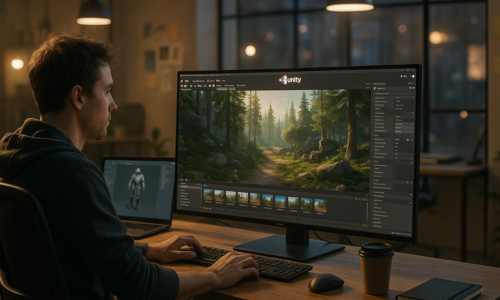
You have a game idea. Perhaps a virtual puzzle game that’s proven to be an important educational tool for kids at daycare. Or a phone game so entertaining and addictive you want to lock your players into a mobile trance. Whatever your next game project, the first big decision is an important one: Which Game Engine Do You Choose for Unity 3D Development? If you’ve read this far, you’ve likely been hearing rumors about the Unity Game Engine for some time now. The truth is, you’re paying attention to the right place. Unity 3D is by far the number one choice for game developers across the world. In this blog, I’ll tell you everything you need to know about Unity 3D, from cross-platform performance to in-depth technical advantages. Unity 3D Benefits for Game Development Explained Statistics Speak Louder Than Words Ok, let’s start with some facts to really paint the picture. Developers prefer using Unity 3D to build 3D games. In a 2025 poll of thousands of developers, 61% cited Unity as their preferred engine for 3D game projects, mostly for its fast learning curve and support for large, scalable game experiences. Unity 3D has become the go-to game engine by a staggering two-to-one margin over other options. The global video game market will continue expanding as more people play on more platforms and games continue to increase in price. In its 2025 forecast, Newzoo estimates the worldwide gaming revenue to be about $187.7 billion in 2024, and coming to near $200 billion in 2025. With all this growth, it’s vital that you select a game engine that can keep up. Unity 3D is just that. Why Unity 3D Is the Game Engine for Every Game Unity 3D is more than just another game engine with some empty claims. Unity is a game engine that also functions as a complete platform for game development, going from small 2D mobile titles to AAA games. Unity 3D is a cross-platform game engine developed by Unity Technologies, originally announced and released in June 2005 at Apple Worldwide Developers Conference as a Mac OS X game engine. Originally a Mac-only engine, Unity has since expanded to support a wide range of desktop, mobile, console, augmented reality, and virtual reality platforms. Cross-Platform Game Engine: Everything You Need Build Once and Publish Everywhere Unity 3D is truly a jack-of-all-trades, able to create high-quality games in a multitude of different genres. Unity 3D game development is compatible with all major operating systems including iOS, Android, Macs, Steam, and Windows PCs. In recent years, the company has also released versions of the engine for Xbox One, PlayStation 4, Nintendo Switch, and the iPhone. Partnering with a professional game development agency in Bangalore ensures businesses and creators can fully leverage Unity’s cross-platform capabilities to deliver immersive gaming experiences. The ability to deploy your games to all those devices with a single codebase is a huge advantage. What This Means in Real Terms This means, instead of having to maintain separate teams with separate codebases for each, you have the luxury to have one game that will be available on every platform. That’s a game developer’s dream come true. Of course, you can use Unity to create games, but it’s also used by businesses to build all sorts of training simulations, educational apps, and gamification for their brands. Unity can also be used to create training tools, as well as software for online learning, technical demos, architectural visualization, and many other uses. Best Unity 3D Game Development Platform Benefits Easy to Use for Beginners and Powerful for Professionals Unity 3D is especially used in mobile game development for iOS and Android games. It is very easy for beginners and is the go-to solution for indie game development. Unity 3D has found a nice sweet spot of being easy for beginners to get into game development, yet deep and flexible enough for professionals to build very high-quality titles. If you’re a novice, you won’t feel like you need a PhD to understand it. If you’re a seasoned pro, you’ll love its extensive tools and customization potential. Game Development Becomes Inexpensive Unity 3D game development grants access to all types of developers in creating full versions of games. Unity 3D game development also removes the need to spend a fortune. This is because Unity game engine gives permission to all sorts of developers to make full-fledged full version games without having to rev up the costs of any kind. Unity 3D game engine benefits can be revealed in more terms to know. Technical Advantages That Matter Optimized from the Ground Up Unity is a performance-first engine, designed with powerful optimization tools built-in. Mobile devices are particularly sensitive to performance bottlenecks that can make games run slow and look bad, and Unity has a wide range of tools to help you keep your game looking great and playing fast. Unity has built-in tools to help you profile your game performance including CPU and GPU usage, memory allocations, and more. The goal is to give you insight into how well your game is running on different devices and to identify any areas where you can improve performance. Unity also includes a network profiler that can help you identify issues with your game’s network code. Simple Debugging Tools Unity provides a powerful set of debug tools that can help you to debug your game. The Unity Editor includes a real-time code profiler that can help you analyze the performance of your code. This is a great feature that lets you identify where your game is spending the most time and optimize your code accordingly. In addition to the profiler, Unity also provides a debug log that you can use to output information about the state of your game. Unity also includes a number of other tools for debugging your code, such as the Debug.DrawLine() and Debug.Log() functions. Unity 3D Benefits by Different Project Types Best for Mobile Games (the Largest Segment of Industry) Mobile